
Getting Started with Accelerator
Welcome to the Accelerator Platform — an integrated system for running scientific computations, data pipelines, and managing reusable models.
This guide provides a high-level overview of how to get started, what the user experience looks like, and introduces the core concepts of the platform.
1️⃣ Sign In
Platform URL: https://accelerator.iiasa.ac.at
Before using Accelerator, you need to sign in.
- IIASA users → can sign in with their IIASA account.
- External users → can register and then sign in.

2️⃣ Terminal CLI Installation
Installation
Option 1: Standalone Binaries (Recommended)
No Python install required. Run the appropriate command for your system:
Linux / macOS:
curl -fsSL https://raw.githubusercontent.com/iiasa/accli/master/scripts/install.sh | bashWindows (PowerShell):
irm https://raw.githubusercontent.com/iiasa/accli/master/scripts/install.ps1 | iexOption 2: Via PIP
pip install accli --userAuthentication
To authenticate your terminal session with the Accelerator platform:
accli loginFollow the on-screen instructions to complete the sign-in process in your browser.
3️⃣ Project Spaces
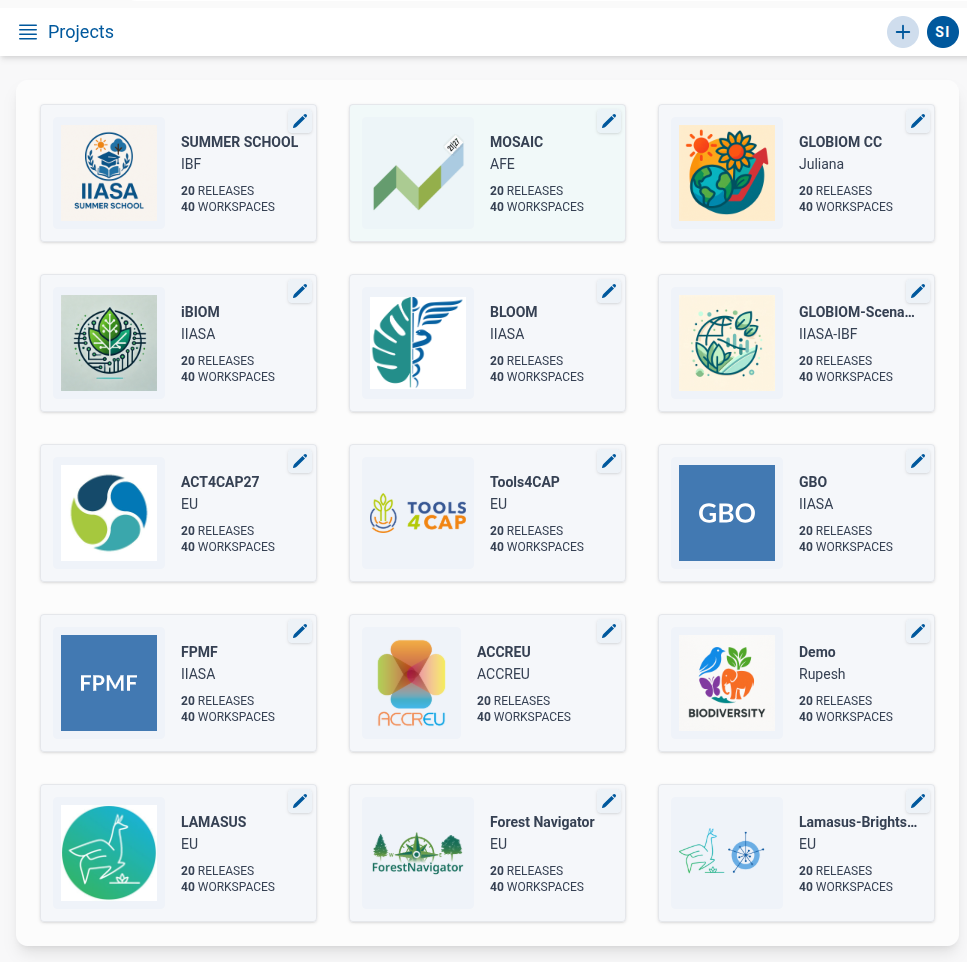
After signing in, you will land on the Projects List Page.
- Here you will see a list of Project Space cards for spaces you are a member of.
- If you do not see any project spaces:
- You are not yet added to a space.
- You can create a new Project Space (if permitted), or
- Ask a Project Space admin to add you.
Once added to any Project Space, it will appear on your list.
Key features of Project Spaces:
- Dedicated, isolated team workspace: Each project space acts as a secure sandbox, ensuring that datasets, models, and computational results remain isolated from other projects.
- Scalable team membership: Add or remove members as your collaboration grows, with support for varying levels of access and control within the project environment.
- Role-based resource access: Manage permissions at a granular level by assigning specific roles (viewer, editor, admin) to control how members interact with files, routines, and jobs.

4️⃣ Major Features inside a Project Space
Inside each Project Space, you will find a set of key features available via the main menu:
Templates
- Contains a list of Dataset Templates.
- Templates define validation rules for specific datasets.
- Supports CSV Timeseries, Regional Timeseries, and Raster Timeseries.
Detailed documentation → Dataset Validation and Templates
Files
- Holds all files and folders stored in the Project Space.
- Supports uploading, downloading, and various file actions.
- Files are stored close to the compute cluster, enabling efficient I/O during computations.
Detailed documentation → Files and Data Management
Jobs
- Displays the status of all jobs run in the Project Space.
- Includes jobs from individual routines and jobflows.
- Users can view logs, monitor progress, and access job outputs.
Detailed documentation → Job Monitoring and Logs
Routines
- Holds the definition of computational tasks (Routines).
- Users can create, modify, and launch routines as jobs.
- Routines can be used standalone or as building blocks for jobflows.
Detailed documentation → Working with Routines
Jobflows
- Manage jobflows — graphs of routines.
- Users can create, modify, and run jobflows.
- Supports both simple and complex acyclic graphs.
Detailed documentation → Jobflows
Workspaces
- Enables users to visualize and explore data already present in the File Explorer.
- Supports:
- Viewing validated datasets
- Launching visualizations (charts, maps)
- Previewing large files
Detailed documentation → Data Visualization and Workspaces
Members
- Manage Project Space membership and roles.
- Users with appropriate permissions can:
- Add new members
- Update member roles (viewer, editor, admin)
- Remove members
Summary
Once signed in and inside a Project Space, you can:
- Manage validated dataset templates
- Upload, organize, and manage files
- Launch and monitor jobs
- Create, modify, and run routines
- Build and execute complex jobflows
- Explore and visualize data
- Manage team members and permissions
This architecture provides a powerful environment for scientific data workflows, making Accelerator an ideal platform for:
- Running complex model pipelines
- Reproducing scientific experiments
- Managing and versioning data
- Sharing validated results