
🎒 Getting Started / Prerequisites
Before diving into this workflow, it’s strongly recommended that users are familiar with some core concepts of the Accelerator platform. These topics are foundational to understanding how routines work, how data is passed between tasks, and how to build reproducible pipelines.
Reviewing these materials first will ensure a smoother experience as you follow along with the steps in this guide.
Getting Started with Accelerator
High-level introduction to the platform.Routine Introduction
What routines are and how they function within Accelerator.Routine Basics
Covers how to configure, launch, and manage routines.Routine Base Stacks
Explains base environments and how routines inherit dependencies.Routine Data Mapping
Describes input/output file management across environments.Common Inbuilt Routines
Overview of reusable routines available on the platform.
🧪 Use Case 2: Model Output to Validated Indicators
This guide walks through a scientific workflow where model output data is validated, enriched with biodiversity indicators, and optionally revalidated and visualized. The process uses flexible routines on the Accelerator platform and demonstrates how both standalone and jobflow-based execution can support iterative scientific work.
🎯 Objective
- Validate model output data against a schema
- Enrich validated data with biodiversity indicators
- Allow for optional re-validation of enriched data
- Enable visualization of enriched datasets
- Support reproducibility through data mapping and versioning
🛠️ Encountering Issues?
If you experience issues during setup or execution, here are two main places to check:
🔧 Accelerator Platform Issues
If you're facing UI bugs, job errors, or unexpected behavior on the platform itself, please visit the Accelerator GitHub Issues page.
- Search for similar issues already reported.
- Open a new issue if yours hasn’t been addressed yet, including steps to reproduce the problem.
📦 Routine-Specific Issues
If the problem appears to be related to one of the routines (e.g., script errors, incorrect output), check their respective GitHub repositories:
You can look for previously reported issues or open a new one with configuration details and logs.
Community-reported issues often provide workarounds or clarifications that might save time.
🚀 Execution Patterns
A. Running Routines Individually
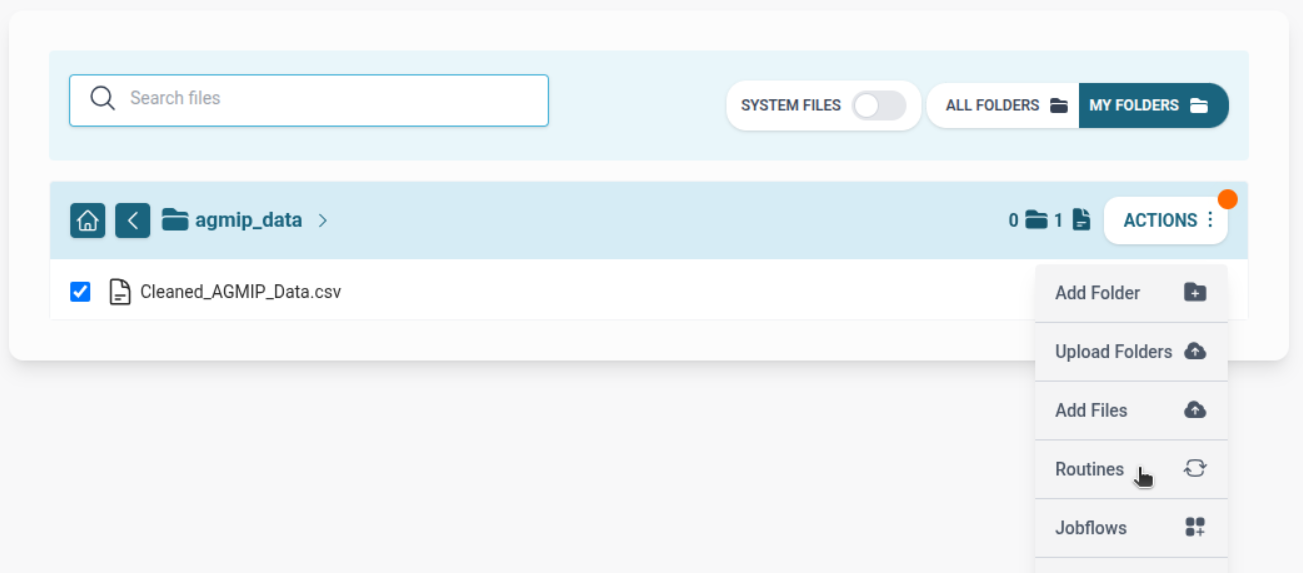
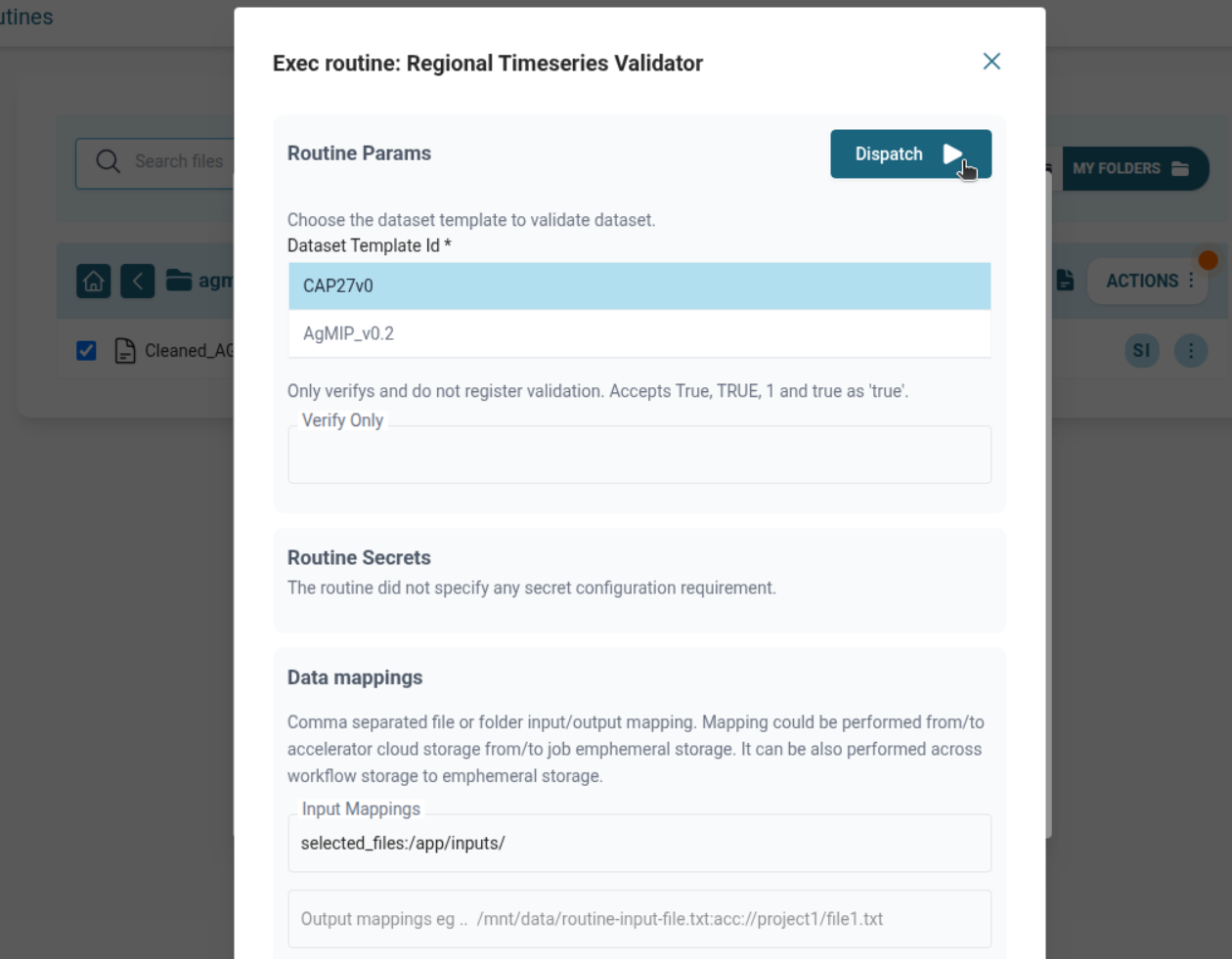
Regional Timeseries Validator
- Run from Routine List Page OR from File Explorer (if selecting file).
- Provide template ID.
- Map input file manually or select via GUI.
Append Biodiversity Indicators
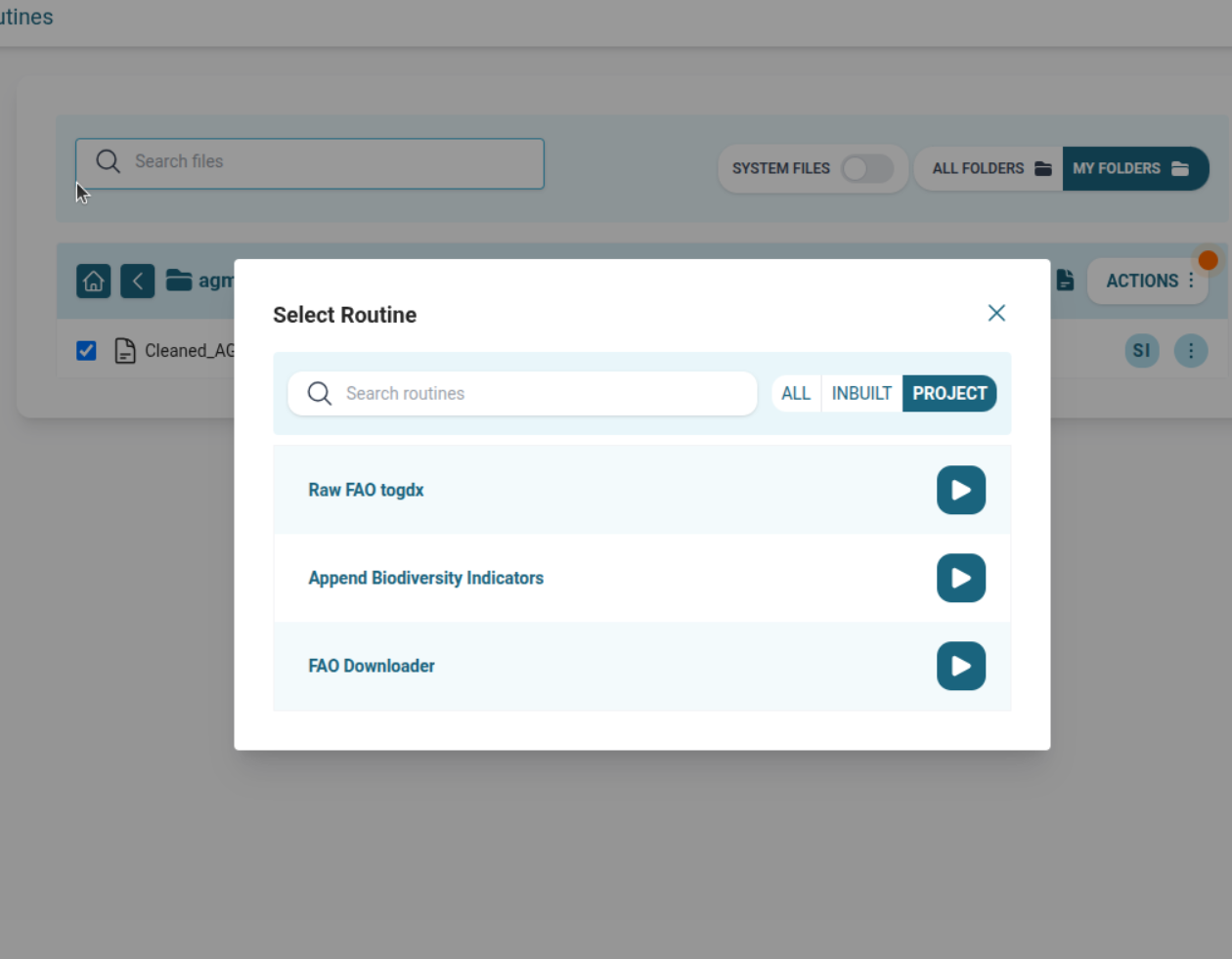
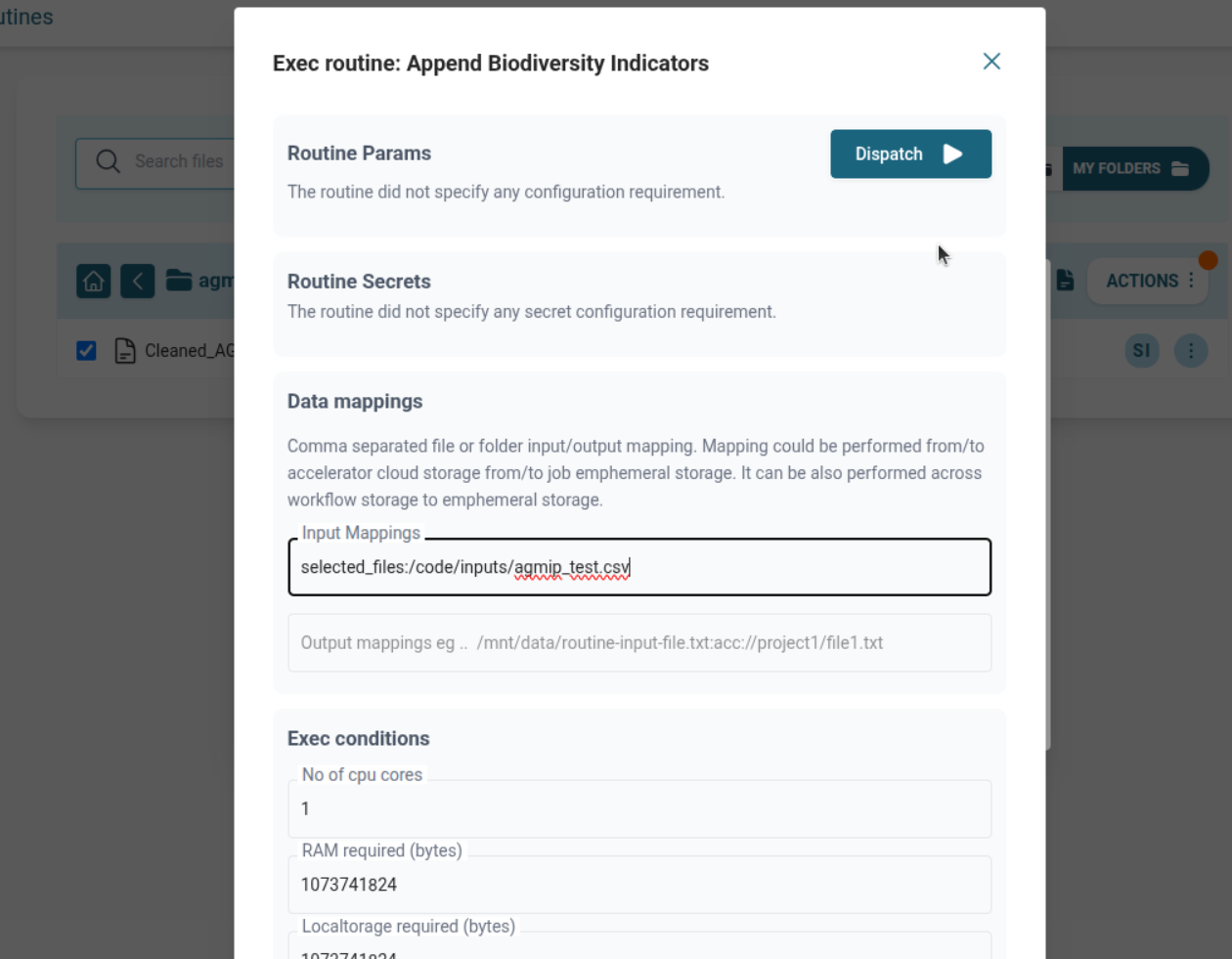
- Run from Routine List Page OR in a jobflow.
- Map input from Validator output (acc://, mounted volume, selected file).
B. Running as a Jobflow
- Validator → Append Biodiversity Indicators
- Use
/mnt/tmpfor automatic intermediate mapping.
Run from Jobflow List Page:

🧑💻 Code Example: 2-Step Jobflow
Before defining routines programmatically, make sure you're familiar with the basics of routine configuration using the Accelerator API.
👉 Review the Routine Basics Guide to understand key components like WKubeTask, configuration keys, mappings, and workflow patterns.
from accli import WKubeTask

# Step 1: Regional Timeseries Validator
validator = WKubeTask(
    name="Regional Timeseries Validator",
    repo_url="https://github.com/iiasa/accelerator-common-routines.git",
    repo_branch="master",
    docker_filename="csv_regional_timeseries_validator/Dockerfile",
    command="python main.py",
    required_cores=1,
    required_ram=1024 * 1024 * 1024,
    required_storage_local=1024 * 1024 * 1024,
    required_storage_workflow=1024,
    timeout=3600,
    conf={
        "dataset_template_id": "123",
        "input_mappings": "selected_files:/code/inputs/input.csv",
        "output_mappings": "/code/inputs/input.csv:/mnt/tmp/validated_input.csv"
    }
)

# Step 2: Append Biodiversity Indicators
append_indicators = WKubeTask(
    name="Append Biodiversity Indicators",
    repo_url="https://github.com/ACT4CAP27/compute_biodiversity_indicators.git",
    repo_branch="master",
    command="python main.py",
    required_cores=1,
    required_ram=1024 * 1024 * 1024,
    required_storage_local=1024 * 1024 * 1024,
    required_storage_workflow=1024,
    timeout=3600,
    conf={
        "input_mappings": "/mnt/tmp/validated_input.csv:/code/inputs/input_data.csv",
        "output_mappings": "/code/outputs/:acc://enriched-indicators/"
    }
)

# Connect jobflow
validator.add_child(append_indicators)
➡️ Install & Get Started with accli
🗂️ Versioning Outputs
If the enriched CSV is significant:
- Use DVC-powered Git Push routine to version and store it.
- Enables:
- Reproducibility
- Auditability
- Provenance tracking
📖 See: Inbuilt Routines Guide
⚡ Optional: Re-validation and Visualization
After Step 2:
✅ You may choose to run Regional Timeseries Validator again on the enriched file using a new template that expects biodiversity indicators.
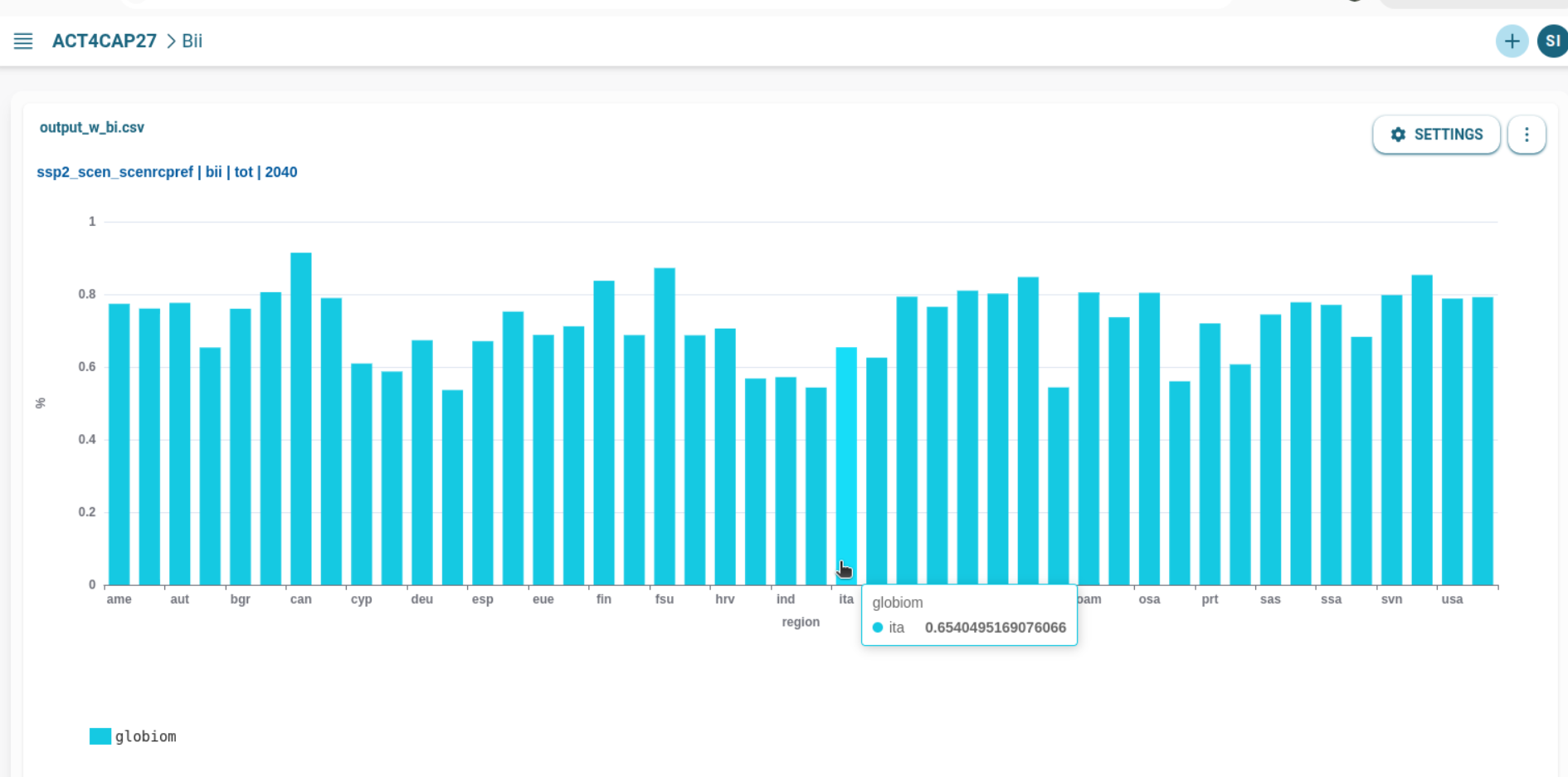
✅ You may also visualize the enriched dataset in Accelerator's visualization tools.
🔗 Related Topics
✅ Summary
This use case demonstrates a flexible pattern for:
- Validating model output
- Appending biodiversity indicators
- Optionally revalidating enriched data
- Visualizing and sharing results
- Enabling reproducibility via versioning
The same routines can be used independently or as part of a robust jobflow, supporting both interactive and automated scientific workflows.